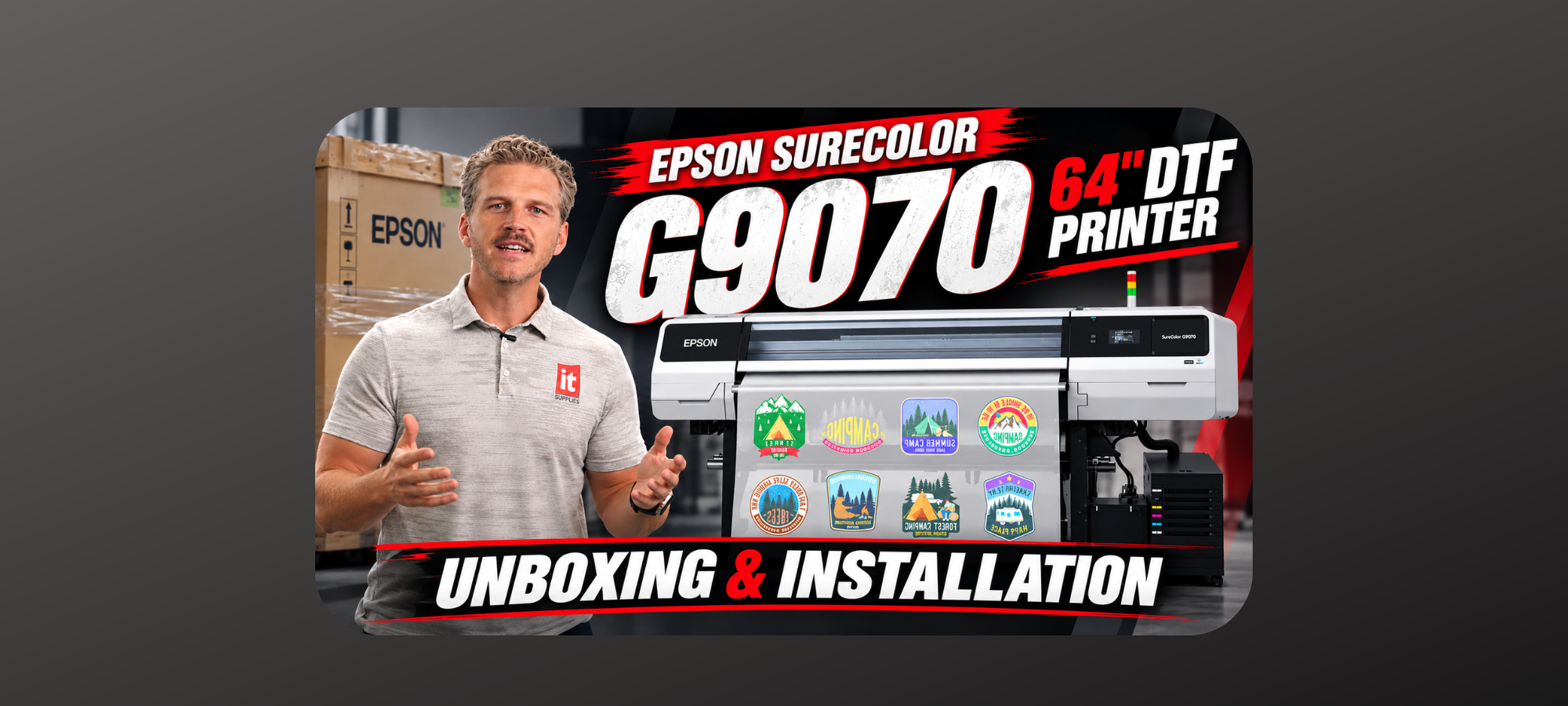

Moving from DTF printing to true DTF production requires equipment designed to handle significantly higher output. The Epson SureColor G9070 brings Epson’s DTF technology to an industrial 64-inch production platform, with twin-roll capability and a design built for demanding production environments.
So, what should you expect when the G9070 arrives at your shop? From freight delivery and installation to power requirements, ink, software, and maintenance, here’s what you need to know before installation day.
Watch the Epson SureColor G9070 Unboxing & Installation
Want to see the entire process? Watch the video to see how the G9070 ships, what’s included, how the printer is assembled, and what it takes to get the system ready for production.
Epson SureColor G9070 64″ DTF Printer: Unboxing & Installation
A 64-Inch DTF Printer Built for Production
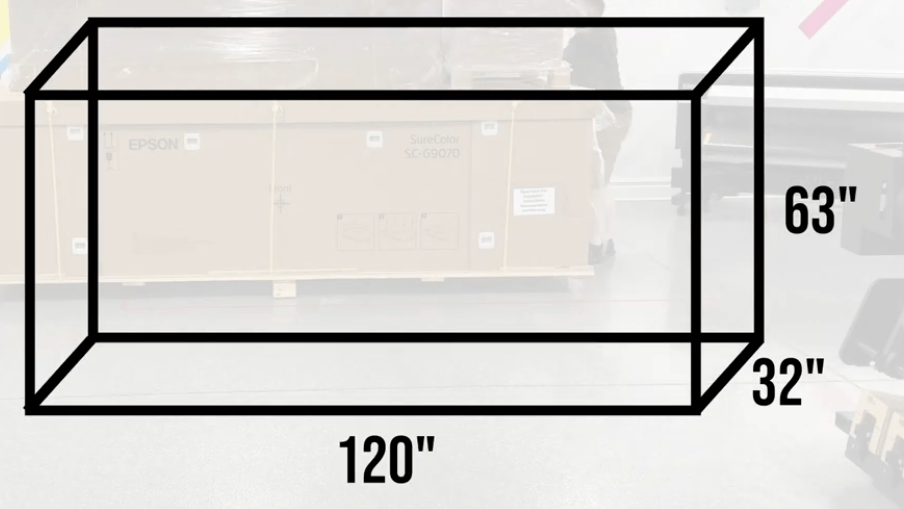
The Epson SureColor G9070 weighs approximately 915 pounds, measures about 120 inches wide, 32 inches deep, and 63 inches tall, and operates on 220-volt power. This isn’t a printer designed to be delivered by standard parcel service and plugged in by the customer.
The G9070 is designed for 24/7 production and can run two rolls side by side. In production mode, Epson’s large PrecisionCore Micro TFP print head enables output of up to 350 square feet per hour.
For high-volume DTF shops, that combination of wider media handling, twin-roll production, and increased print speed makes the G9070 a significant step up from smaller-format DTF systems.
Preparing Your Shop for Installation
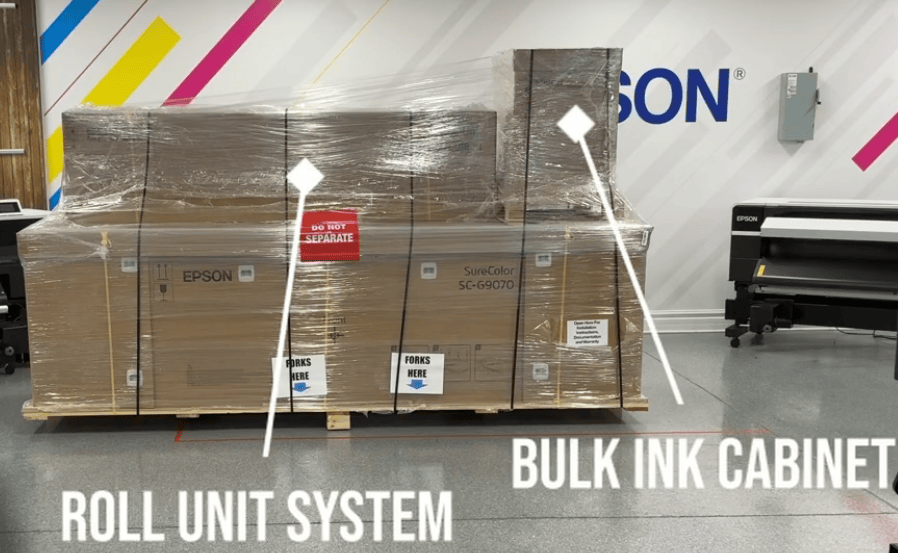
Preparation is one of the most important parts of purchasing a production printer. The G9070 arrives via freight on a single oversized pallet, with the roll unit system and integrated bulk ink cabinet secured to the top of the main printer box.
Because of the size and weight of the shipment, you’ll want access to a pallet jack or forklift to position it. The printer should remain crated until installation.
You’ll also need to prepare the installation area ahead of time. A dedicated 220–240V circuit should be installed by an electrician before the technician arrives.
Don’t forget to plan for your finishing equipment, too. The G9070 feeds into a shaker dryer system for drying and curing DTF transfers. Because the printer can operate two rolls simultaneously, a twin-roll workflow may require two shakers. These are purchased separately, so adequate floor space should be included in your production layout.
What Happens on Installation Day?
Installation is handled by an Epson-certified technician when purchased through IT Supplies. The process includes unboxing, stand assembly, printer setup, charging, calibration, software installation, testing, and team training.
The printer is lifted onto its stand using Epson-provided lifting poles and requires four strong people to safely move the 915-pound machine into position.
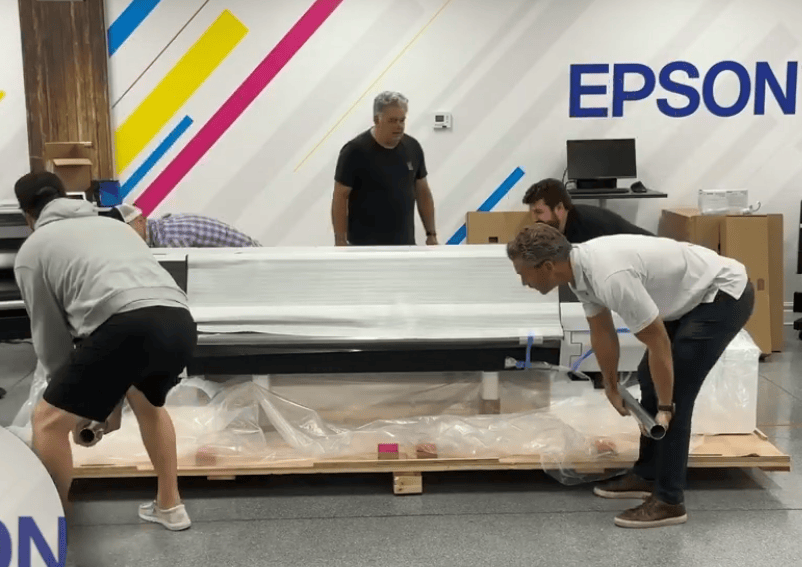
Once secured, the technician installs the input roll system and bulk ink cabinet before moving on to ink and printer setup.
Epson UltraChrome DF Ink
The G9070 uses Epson UltraChrome DF ink, supplied in sealed, degassed 1.6-liter packs. Ink is sold separately from the printer, so your initial ink supply should be included when planning your purchase.
The ink configuration includes CMYK, White, and a dedicated maintenance liquid. Epson’s automated maintenance features are designed to help keep the print head and capping station operating reliably during production.
The G9070 also carries over the Oeko-Tex certification and wash durability associated with the G6070, while its larger print head provides greater density and faster output.
Designed to Reduce Hands-On Maintenance
Production equipment needs to spend its time producing—not sitting idle for maintenance.
The G9070 incorporates automated features including cap cleaning, a fabric wiper for keeping the print head clean, white-ink circulation to help combat sedimentation, and real-time nozzle verification. The nozzle verification system can identify clogged nozzles and print around them without stopping the job.
Another production-focused feature is the user-replaceable print head. The head can be replaced without special tools or specialized training, helping minimize downtime if a print-head issue occurs.
Software, Calibration & Training
The G9070 comes with two RIP software options: Fiery Digital Factory and Epson Edge Print Pro. Customers can choose either option at no additional cost.
After software installation, the technician performs head alignments and feed calibrations before producing a test print. The shaker dryer equipment is then checked to make sure the complete DTF workflow is operating correctly.
Training is also part of the installation process. Your team learns how to operate the printer, load and change media, configure the shaker dryer, and perform routine maintenance.
By the end of installation day, the goal isn’t simply to have the printer unboxed—it’s to have your team ready for production.
Get the Epson SureColor G9070 from IT Supplies
The Epson SureColor G9070 Production Edition has a list price of $24,995, with Epson promotions subject to change.
If you’re considering moving from standard DTF printing to higher-volume production, the G9070 is worth a closer look.
Explore the Epson SureColor G9070 64″ DTF Printer at IT Supplies
IT Supplies can also help you plan the complete production setup, including the appropriate shaker configuration and service options for your shop.
Whether you’re expanding an existing DTF operation or building a production workflow from the ground up, proper preparation can make installation day—and your transition to production—much smoother!
IT Supplies is your one-stop shop for everything you need to achieve the perfect print. We partner with top manufacturers to bring you the best in printing technology, including Eco-Solvent, Latex, UV, and Aqueous printers from EPSON, HP, and Canon. Our lineup also features a wide selection of Dye-Sublimation, DTF, and DTG printers from EPSON and HP. Explore our full range at www.itsupplies.com or by giving us a call at 1-800-771-9665!

