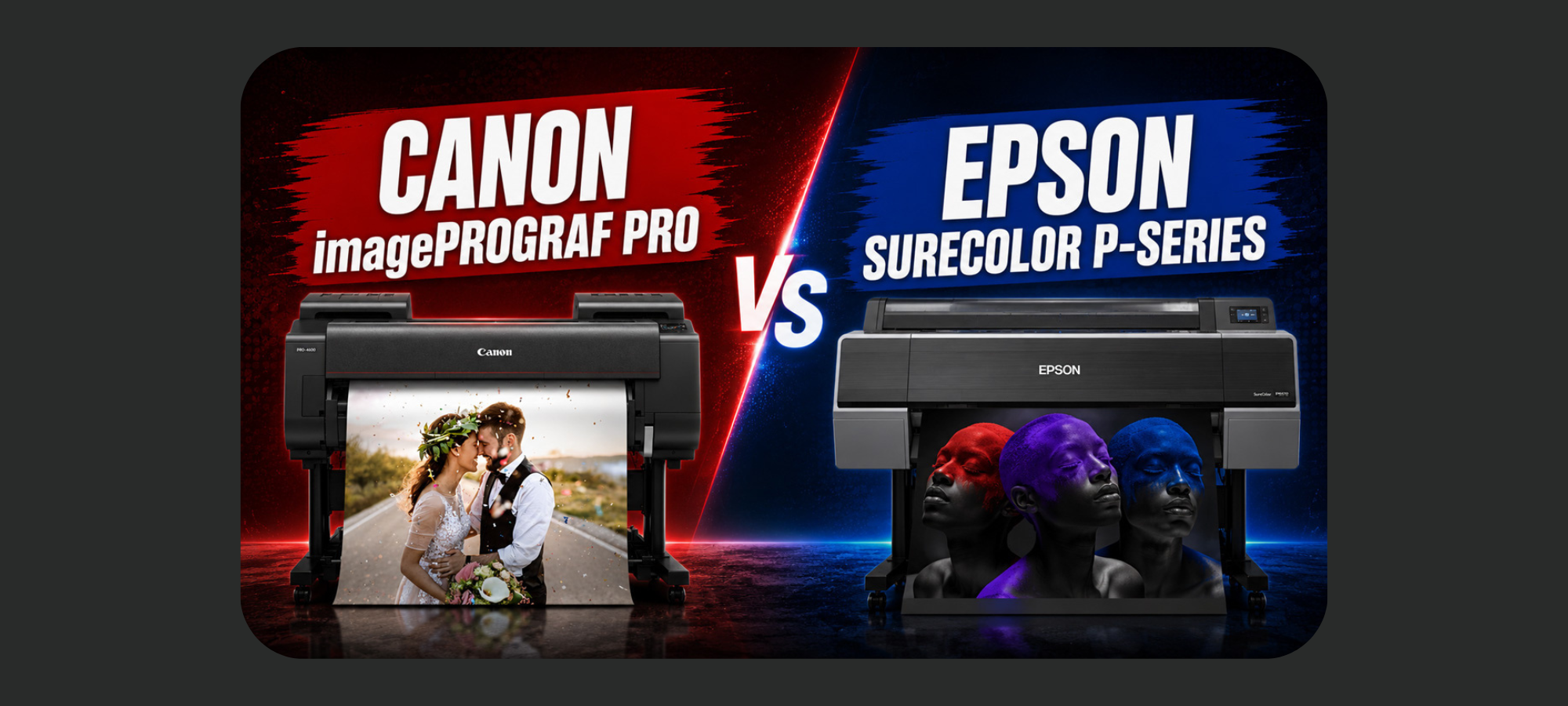
When you’re shopping for a professional photo or fine art printer, the decision often comes down to two major brands: Canon and Epson.
Canon’s imagePROGRAF PRO Series and Epson’s SureColor P-Series are both designed for professional photographers, artists, print shops, and businesses that demand high-quality pigment-ink printing. But choosing between them involves more than simply comparing print quality.
In this blog, we’ll compare Canon’s PRO-2600, PRO-4600, and PRO-6600 with Epson’s P7570, P9570, and P20570, looking at ink, printheads, speed, media handling, borderless printing, pricing, and total cost of ownership.
The goal isn’t to declare one brand the universal winner. Instead, it’s to help you determine which professional printer better fits the way you work.
Interested in watching our video comparison? ==> Watch full video here.
Canon vs Epson Professional Printers: Quick Comparison
Within each manufacturer’s lineup, the smaller and larger models share much of the same underlying technology.
Canon’s PRO-2600, PRO-4600, and PRO-6600 share the same ink system, printhead technology, and software. Epson follows a similar approach across the P7570, P9570, and P20570.
Here’s how the platforms compare:
| Feature | Canon imagePROGRAF PRO | Epson SureColor P-Series |
|---|---|---|
| Ink system | 11 color inks + Chroma Optimizer | 12-color UltraChrome PRO12 |
| Printhead | PF-10 thermal | PrecisionCore MicroTFP piezoelectric |
| Printhead replacement | User replaceable | Designed for printer life |
| Production speed | Strong | Faster based on supplied comparison |
| Borderless printing | Custom sizes | Preset sizes |
| Rigid media | Up to 0.8 mm | Up to 1.5 mm |
| Take-up reel | PRO-6600 includes Multifunction Roll System | Optional on P9570/P20570 |
| High-capacity ink | Standard tanks | P20570 uses 1.6-liter ink packs |
The differences become much more meaningful when you look at how each platform handles ink, maintenance, production, and media.
Ink: Canon vs Epson
Ink is one of the biggest differences between the two printer families.
Epson uses a 12-color UltraChrome PRO12 ink system consisting of Cyan, Magenta, Yellow, Light Cyan, Light Magenta, Gray, Light Gray, Orange, Green, Violet, Photo Black, and Matte Black.
Canon uses 11 color inks plus a Chroma Optimizer. Its system includes Cyan, Magenta, Yellow, Photo Cyan, Photo Magenta, Gray, Photo Gray, Red, Blue, Photo Black, Matte Black, and the Chroma Optimizer channel.
What Is Canon Chroma Optimizer?
Chroma Optimizer is a clear coating applied across the surface of a print. Its purpose is to reduce gloss differential and create a more uniform appearance on glossy papers.
It can also help improve scratch resistance.
Epson approaches the same general challenge differently with its Black Enhance Overcoat mode in the driver.
So while Canon and Epson use different technologies, both are focused on producing a more consistent, high-quality finish.
According to the supplied comparison, both brands claim approximately 99% gamut coverage, with archival pigment ink rated for up to 200 years in color and 400 years in black and white.
For photographers and fine art professionals, that longevity can be an important consideration when producing work intended for long-term display or sale.
Printheads and Maintenance
Canon and Epson also take very different approaches to printhead design.
Epson PrecisionCore MicroTFP
Epson’s P-Series uses a 2.6-inch PrecisionCore MicroTFP printhead with piezoelectric technology. The supplied specifications state that it can produce ink droplets as small as 3.5 picoliters.
The printhead is designed to last for the life of the printer.
The newer Epson platform also includes maintenance doors that allow users to perform basic cleaning around the capping station themselves on a quarterly schedule.
For a busy print shop, the ability to handle certain maintenance tasks in-house can be valuable.
Canon PF-10
Canon’s PF-10 printhead uses thermal technology.
Unlike Epson’s printhead, Canon’s PF-10 is considered a consumable and can eventually require replacement.
The advantage is that the printhead is user replaceable. You don’t necessarily have to wait for a technician if replacement becomes necessary.
The downside is cost. According to the supplied comparison, a replacement PF-10 costs around $700.
Both platforms include a one-year warranty, and extended service plans are available.
If you’re purchasing a printer for professional production, it’s worth considering warranty and service options at the time of purchase.
Print Speed: Epson Has the Edge
For many photographers, printer speed isn’t the most important factor.
If you’re producing a few prints a day, the difference between two printers may have little effect on your workflow.
Production shops are different.
When print volume increases or orders spike during busy periods, faster production can make a meaningful difference.
Based on the experience described in the supplied comparison, Epson runs faster than Canon.
Both platforms offer different print modes, allowing users to balance speed and quality.
Epson, for example, provides quality, production, and maximum-speed modes. The best choice depends on what you’re printing and what level of quality your customers expect.
For fine art photographers, maximum speed may not matter. For a production print shop, it can be a much bigger consideration.
Media Handling and Borderless Printing
Media flexibility is another important difference.
The Canon PRO-6600 comes standard with the Multifunction Roll System, while the system is optional on the PRO-2600 and PRO-4600.
It can be configured as a take-up reel or used to hold a second roll of media. That gives production environments the ability to keep two different media types ready without stopping to swap rolls.
On the Epson side, an optional take-up reel is available for the P9570 and P20570, but not the 24-inch P7570.
Cut-Sheet Media
Both printer families support cut sheets.
The supplied comparison gives Epson a slight advantage because its loading process is somewhat simpler.
That may seem like a small detail, but ease of media loading can matter when you’re operating a printer repeatedly throughout the day.
Borderless Printing
Both Canon and Epson support borderless printing, but Canon provides more customization.
Canon allows custom borderless sizes from approximately 6 inches up to the full printer width.
Epson uses a preset selection of borderless sizes: 10, 13, 16, 17, 20, 24, 30, 36, and 44 inches.
Those sizes cover most common applications, but Canon’s approach gives you more flexibility if you regularly produce unusual dimensions.
Rigid Media: Epson Wins
If you need to print directly onto rigid media, Epson has a significant advantage.
The P7570, P9570, and P20570 can handle board media up to 1.5 mm thick through a straight-through front paper path.
Canon’s maximum media thickness is approximately 0.8 mm.
For traditional photo and fine art printing, this difference may not matter.
But if your business produces posters or other work on thicker board media, Epson’s capability could be a deciding factor.
Epson P20570 vs Canon PRO-6600
The largest printers in these lineups deserve special attention because the Epson P20570 is considerably different from the smaller P-Series models.
The P20570 uses the same UltraChrome PRO12 ink set and PrecisionCore printhead family as the P7570 and P9570, but the machine itself has a different production-oriented design.
It features a white housing and an external ink tower.
More importantly, the P20570 uses 1.6-liter ink packs instead of traditional cartridges.
That high-capacity system is designed for production environments where frequent ink changes can interrupt workflow.
There’s one major catch: the P20570 does not ship with ink.
The printer and ink are purchased separately, so its advertised purchase price doesn’t tell you the complete cost of getting the machine into production.
Canon’s PRO-6600 takes a different approach. It remains consistent with the rest of the Canon PRO Series and includes 330ml tanks and the Multifunction Roll System.
For high-volume production, the P20570’s high-capacity ink system is worth considering. For buyers who prioritize consistency across a Canon fleet, the PRO-6600 may be more attractive.
Canon vs Epson Pricing
Price is where many printer comparisons can become misleading.
The sticker price is only one part of the equation.
You also need to consider how much ink comes with the printer, ongoing ink costs, expected usage, service plans, accessories, and potential maintenance.
24-Inch Models
According to the supplied comparison, Canon generally costs around $1,000 less than Epson at the 24-inch level.
The Canon PRO-2600 ships with 12 tanks at 160ml each, or 1,920ml of total tank volume. One of those tanks is Chroma Optimizer rather than a color ink.
Epson’s P7570 ships with 12 color inks at 150ml each, providing 1,800ml of color ink.
The difference isn’t simply about the amount of ink, however. Canon includes a substantial amount of ink while also having a lower typical purchase price in the comparison.
44-Inch Models
At 44 inches, Canon is typically around $200 to $700 less, depending on current promotions.
The PRO-4600 ships with 330ml tanks, providing 3,960ml of total tank volume, including the Chroma Optimizer.
The Epson P9570 ships with 150ml per color across 12 colors, providing approximately 1,800ml of color ink.
That difference in included ink can have a meaningful impact on the effective cost of the printer.
60- and 64-Inch Models
At the largest size, the comparison gets more complicated.
The Epson P20570 can have a lower sticker price than the Canon PRO-6600, but remember that ink isn’t included with the P20570.
The PRO-6600 comes with 330ml tanks, providing approximately 3,960ml of total tank volume, including Chroma Optimizer.
Once the cost of a complete set of P20570 ink packs is added, the initial price difference can narrow or even reverse depending on current pricing.
Don’t Compare Printer Prices Alone
If you’re buying a professional printer, the best financial comparison isn’t the initial purchase price.
Instead, calculate the total cost of ownership.
Consider:
- Printer purchase price
- Ink included with the printer
- Cost per milliliter of ink
- Expected ink consumption
- Media costs
- Production volume
- Warranty and service plans
- Optional accessories
- Maintenance requirements
- Potential printhead replacement costs
For a print shop, estimating ink usage per square foot can be especially useful.
A printer with a lower sticker price isn’t necessarily cheaper to operate. Likewise, a more expensive printer that includes significantly more ink may have a lower effective starting cost than it first appears.
Which Professional Printer Should You Buy?
There’s no universal winner between Canon and Epson.
The right choice depends on your priorities!
Canon may be the better choice if you value:
- Custom borderless dimensions
- Chroma Optimizer
- User-replaceable printheads
- Lower purchase prices in many configurations
- Larger included ink volumes on some models
- The PRO-6600’s included Multifunction Roll System
- Consistency with an existing Canon workflow
Epson may be the better choice if you prioritize:
- Faster production
- Rigid-media printing
- PrecisionCore printhead technology
- High-capacity ink packs on the P20570
- Simpler cut-sheet loading
- A production-oriented large-format workflow
And there’s one more factor worth considering: what printer do you already own?
If your business already uses Canon or Epson equipment, staying with the same brand could mean less disruption to your existing workflow.
On the other hand, if you’re replacing an older printer or expanding your capabilities, this may be the perfect opportunity to evaluate both platforms from scratch!
Final Verdict
The choice between Canon imagePROGRAF PRO vs Epson SureColor P-Series ultimately comes down to how you work.
Canon offers advantages such as Chroma Optimizer, custom borderless printing, user-replaceable printheads, and strong included-ink value in several configurations.
Epson brings faster production, rigid-media capability, PrecisionCore printhead technology, and a high-capacity ink system on the P20570.
Both are exceptional professional printing platforms.
Before making your decision, look beyond the printer’s sticker price. Consider your expected print volume, ink costs, media requirements, maintenance, warranty options, and the value of the ink included with the machine.
Most importantly, choose the printer that fits your workflow, not simply the printer with the longest feature list.
If you’re unsure which size or brand is right for your print shop, IT Supplies can help you evaluate the options and find the printer that best matches your production needs!
IT Supplies is your one-stop shop for everything you need to achieve the perfect print. We partner with top manufacturers to bring you the best in printing technology, including Eco-Solvent, Latex, UV, and Aqueous printers from EPSON, HP, and Canon. Our lineup also features a wide selection of Dye-Sublimation, DTF, and DTG printers from EPSON and HP. Explore our full range at www.itsupplies.com or by giving us a call at 1-800-771-9665!

