

When it comes to large-format printing, smooth media handling can make or break a production run. Whether you’re printing long banners, heavy substrates, or high-volume jobs, maintaining consistent media feeding is essential for quality results and efficient workflow. That’s where the HP Latex Media Feed Accessory comes in.
We’ll walk you through how to use the HP Latex Media Feed Accessory properly, why it matters, and how it improves print performance on compatible HP Latex printers.
If you’ve been dealing with media skewing, substrate waste, or inconsistent feeding during long runs, this quick setup accessory could save you time, material, and frustration.
What Is the HP Latex Media Feed Accessory?
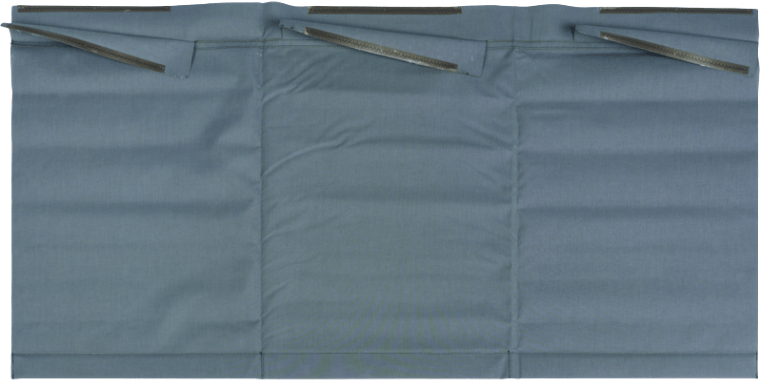
The HP Latex Substrate Feed Accessory is designed to improve media handling on compatible HP Latex large-format printers. It helps support wider and heavier substrates while improving feeding accuracy during printing.
One of its biggest advantages is that it enables printing from pinches with most substrates, which improves plot success rates and reduces waste caused by improper attachment to the take-up reel.
This accessory is especially useful for:
- Long print runs
- Heavy media applications
- Wide-format substrates
- High-production environments
- Print shops focused on workflow efficiency
For substrates measuring 48 inches or wider, the HP Media Feed Accessory helps maintain smooth alignment and consistent feeding throughout the print process.
Key Benefits of the HP Media Feed Accessory
Adding the HP Latex Media Feed Accessory to your workflow can lead to noticeable improvements in both print quality and operational efficiency.
Improved Media Handling
Media tracking issues can cause skewing, wrinkling, or inconsistent output. The accessory helps stabilize substrate feeding, reducing common handling problems during printing.
Reduced Substrate Waste
Improper media alignment often leads to wasted material and reprints. By supporting smoother feeding and more accurate tension control, the accessory helps minimize waste.
Better Print Consistency
Consistency matters, especially for long production jobs. The HP Latex Media Feed Accessory helps maintain reliable media movement from start to finish.
Optimized Long Print Runs
Running banners, wall coverings, or large graphics? The accessory provides better support during extended print jobs, helping operators avoid interruptions.
Easier Workflow for Print Shops
For busy sign shops and production facilities, small workflow improvements can add up quickly. Better media feeding means fewer errors, less downtime, and smoother operation overall.
Compatible HP Latex Printers
The HP Latex Media Feed Accessory is compatible with the following printers:
- HP Latex 630
- HP Latex 630 W
- HP Latex 630 Print and Cut Plus Solution
- HP Latex 630 W Print and Cut Plus Solution
- HP Latex 700
- HP Latex 700W
- HP Latex 800
- HP Latex 800W
- HP Latex 730
- HP Latex 730 W
- HP Latex 830
- HP Latex 830 W
If you’re using one of these HP Latex models and regularly work with larger substrates, this accessory can be a valuable addition to your setup.
How to Use the HP Media Feed Accessory
For a step-by-step visual walkthrough, check out this demonstration from Bob Miller, Color Services Manager at IT Supplies, where he shows how to properly set up and position the HP Media Feed Accessory for smooth, accurate media feeding. Watch the video here.
While setup may vary slightly depending on your printer model and media type, the general process includes:
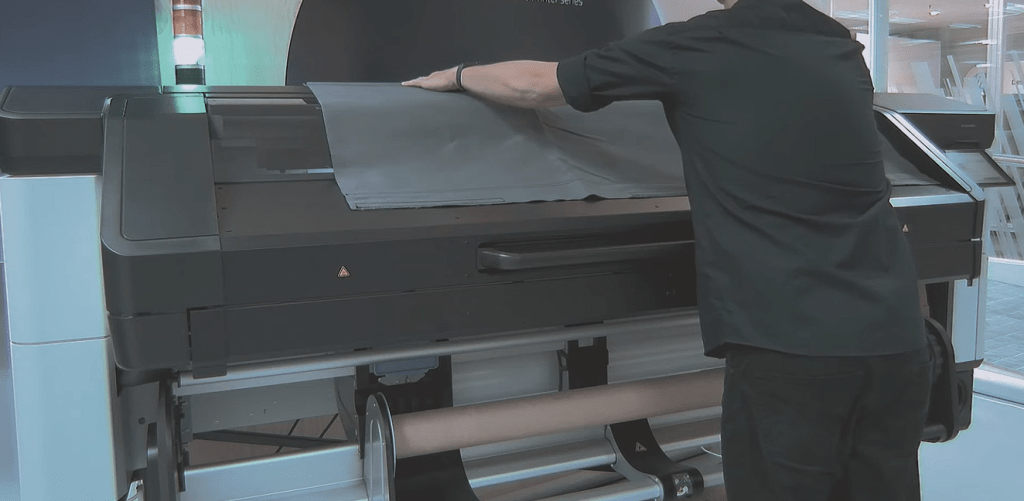
1. Position the Accessory Properly
Start by ensuring the media feed accessory is securely positioned according to HP’s recommended setup instructions.
Correct placement is important because it helps guide the substrate smoothly into the printer while maintaining alignment.
2. Load the Media Carefully
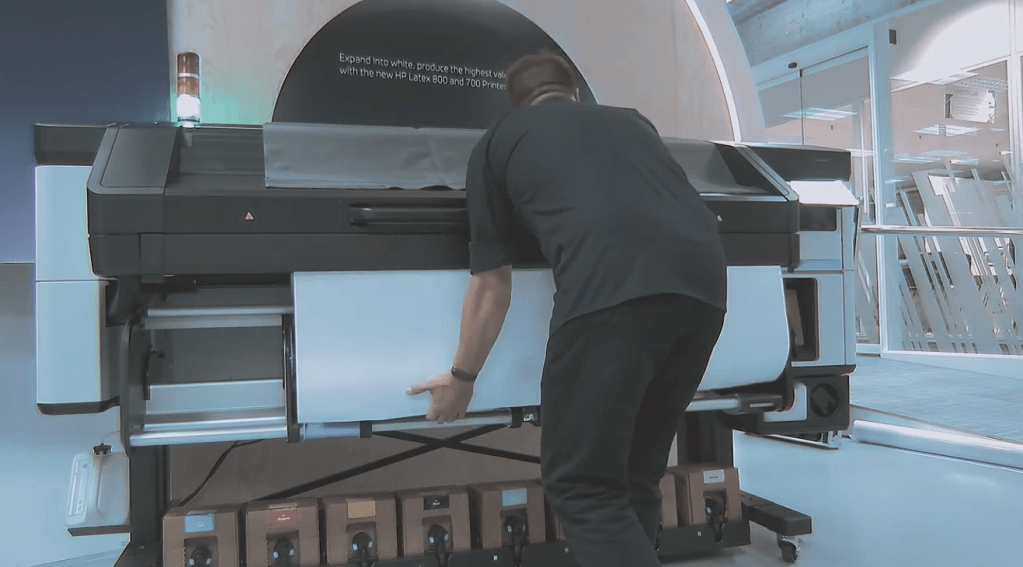
When loading wider or heavier substrates, take extra care to ensure the media is straight and evenly aligned before feeding begins.
Improper loading can still lead to skewing, even with the accessory installed.
3. Monitor Media Tension
Maintaining proper tension is essential for smooth feeding. The accessory helps support the substrate, but operators should still verify that the media feeds evenly during startup.
4. Test Before Full Production
Before launching a large print run, perform a short test print to confirm alignment and feeding accuracy.
This simple step can prevent wasted media and production delays later on.
5. Use with Wider Substrates
The HP Latex Media Feed Accessory is specifically intended for substrates measuring 48 inches or greater, making it ideal for wide-format applications.
Why Media Feeding Matters in Large-Format Printing
Media handling isn’t always the first thing people think about when discussing print quality, but it plays a huge role in production success.
Even high-end printers can experience issues if substrates aren’t feeding consistently. Common problems caused by poor media handling include:
- Print head strikes
- Media skewing
- Wrinkling
- Color inconsistency
- Registration errors
- Wasted material
- Failed long-run prints
Accessories like the HP Latex Media Feed Accessory help reduce these risks by creating more stable substrate movement throughout the print process.
For print professionals, that means fewer interruptions and more reliable output.
Where to Buy the HP Latex Media Feed Accessory
You can find the HP Latex Media Feed Accessory directly on the IT Supplies website here:
👉 https://itsupplies.com/HP-Latex-Media-Feed-Accessory-p-421S3A
Product Includes:
- 1 HP Media Feed Accessory
IT Supplies is your one-stop shop for everything you need to achieve the perfect print. We partner with top manufacturers to bring you the best in printing technology, including Eco-Solvent, Latex, UV, and Aqueous printers from EPSON, HP, and Canon. Our lineup also features a wide selection of Dye-Sublimation, DTF, and DTG printers from EPSON and HP. Explore our full range at www.itsupplies.com or by giving us a call at 1-800-771-9665!

