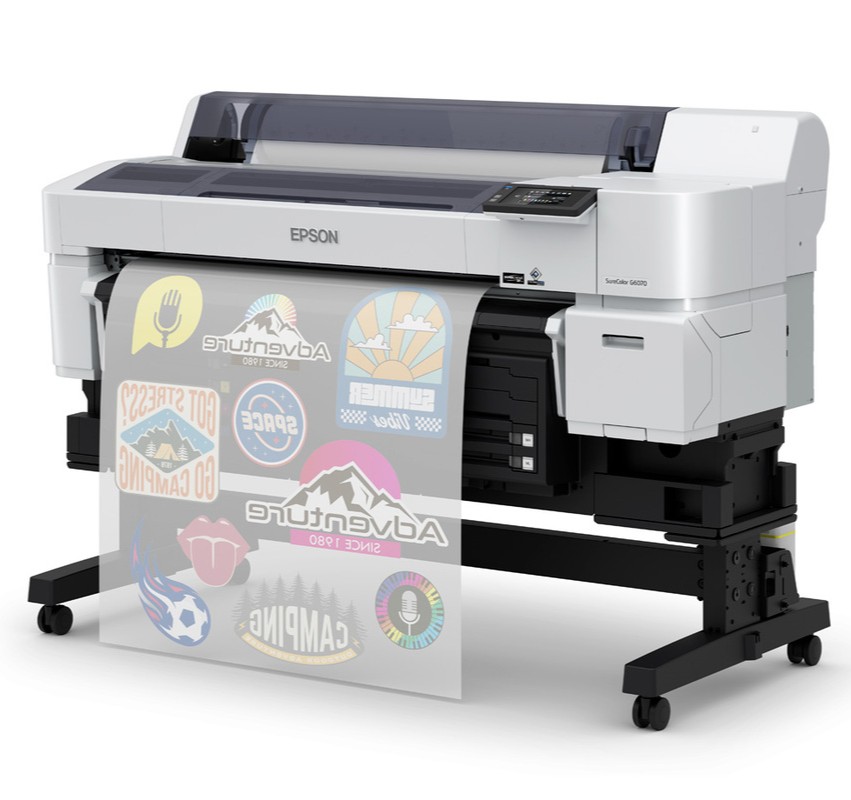
Ever wondered how much it actually costs to print a DTF shirt with the Epson SureColor G6070? In this blog, we’ll break down the real numbers behind DTF printing. From ink and film costs to powder efficiency. Plus, you’ll get insider tips and tricks for maximizing quality and minimizing waste. Whether you’re just starting out or looking to fine-tune your DTF workflow, this guide has the data and details you’ve been asking for.
Epson SureColor G6070 DTF Printer: Why Everyone’s Talking About It
If you’ve spent any time in the direct-to-film (DTF) printing world lately, you’ve probably heard the buzz around the Epson SureColor G6070 DTF printer. And for good reason. Epson has managed to create a printer that balances professional-grade quality with an accessible entry price point — a combo that’s turned heads across the industry.
Honestly, Epson can barely keep these printers in stock! Customers are resonating with what Epson brings to the table: top-tier print quality, next-day onsite service for up to five years, and a fully warrantied system that delivers reliability and confidence.
But as exciting as the G6070 is, there’s one big question that almost every customer asks when they call us at IT Supplies:
“How much does it actually cost to make a DTF shirt with the Epson G6070?”
It’s a fair question — and one we decided to answer with real data, not guesses.
The Scientific Approach: Calculating the Real Cost Per Shirt
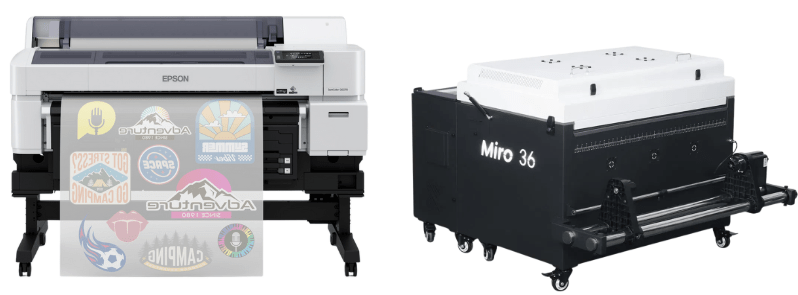
Before diving in, let’s set the stage. The Epson G6070 DTF printer itself costs around $14,495, and when you add a compatible shaker dryer like the Miro 36, your total investment for equipment is around $22,000.
That’s your setup. But what about your day-to-day production costs — the ones that really determine your profit margins?
At IT Supplies, we believe in giving customers transparent, actionable info. So we took a scientific approach to figure out the actual cost per DTF transfer using the Epson G6070.
We focused on three primary material costs:
- Ink
- Film
- Powder
Of course, your garment cost is another factor, but for this analysis, we’re isolating the consumables that make up your DTF transfer itself.
Step 1: Measuring Ink Usage with Epson Cloud Solution Port
When it comes to ink, we wanted precision, not an estimate. That’s where Epson’s Cloud Solution Port software comes in clutch.
Every Epson G6070 user has access to this free, data-rich tool. It doesn’t just track print volumes; it tells you exactly how many milliliters (ml) of ink were fired during each print job. Unlike some RIP software that only approximates usage, Epson’s system gives hard data.
Here’s what we did:
- Printed three different 12” x 12” files, each with varying ink coverage levels.
- Analyzed the actual ink fired per job using Epson’s Cloud Solution Port.
The results?
- Average Ink Usage: 3.08 ml per 12” x 12” print (one square foot).
- White Ink Usage: 2.42 ml of that total — a reminder that white underbase always consumes the most ink in DTF.
Now, Epson sells ink for the G6070 in bulk 1.6L bags, priced at roughly $0.11 per ml.
So, doing the math:
- 3.08 ml × $0.11 = $0.33 in ink cost per square foot.
That means your ink cost per square inch is $0.0023 (or 0.23 cents).
Want to estimate your own cost? Just multiply the height and width of your image. For example:
A 10” x 12” print = 120 square inches × $0.0023 = $0.27 in ink cost.
Pretty amazing, right? High-quality color output for less than 30 cents of ink per shirt.
Step 2: Choosing the Right DTF Film – Why We Love Color Prime Quick Glide
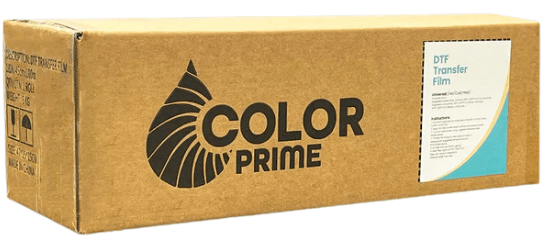
Film selection plays a massive role in both print quality and production speed. After testing multiple options, our go-to recommendation is Color Prime Quick Glide DTF film.
Here’s why Andy (and our customers) love it:
- It has an excellent ink-receptive layer for rich, vibrant prints.
- It’s instant peel, so you can remove the film right after pressing — no waiting around like with cold peel films.
- It comes in a 36-inch width, which maximizes the Epson G6070’s print area.
- It’s proven consistent and reliable, roll after roll.
Now for the numbers:
A 36” x 327’ roll of Color Prime Quick Glide costs $219. That breaks down to roughly $0.22 per square foot, or $0.0015 per square inch.
Combine that with your ink cost, and you’re still under 60 cents per square foot so far — not bad for professional-grade color transfers!
Step 3: Powder Application and Compatibility
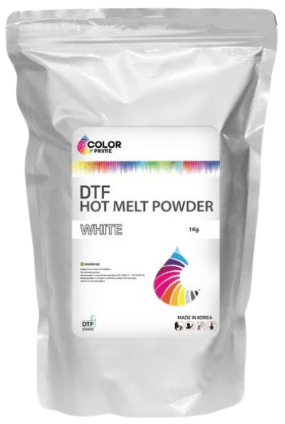
Your DTF powder is what bonds your transfer to the garment, so quality here matters. We stick with Color Prime Hot Melt Powder, which is specifically designed to work seamlessly with Quick Glide film.
This powder comes in 1 kg bags priced at $32.99 — about 3 cents per gram.
We ran a simple test: weighing our prints before and after powdering. The result?
Each one-square-foot print used roughly 0.4 grams of powder.
That equals about $0.013 in powder cost per square foot, or about a penny per full shirt print.
| Material | Cost per sq. ft. | Cost per sq. in. |
| Ink | $0.33 | $0.0023 |
| Film | $0.22 | $0.0015 |
| Powder | $0.013 | $0.0001 |
| Total | $0.56 per sq. ft. | $0.0039 per sq. in. |
For a 10” x 12” print (120 sq. inches):
- 120 × $0.0039 = $0.46 per shirt in total consumable costs.
That’s right — less than 50 cents per print for high-quality, full-color DTF transfers!
Of course, every design is unique, and your costs will vary depending on coverage and size. But this gives you a clear, realistic baseline.
Pro Tips & Tricks for Getting the Best Output from Your Epson G6070
Andy’s done a ton of testing, and here are a few insider tips for achieving top-tier print quality every time:
1. Use Epson’s Cloud Solution Port Regularly
Keep an eye on your ink usage and printer performance. This software doesn’t just help track costs — it can also identify inefficiencies and ensure consistent quality output.
2. Dial in Your Print Environment
Humidity and temperature can affect your prints, especially your powder adhesion. Aim for a controlled environment to avoid inconsistent curing or peeling issues.
3. Match Your Film and Powder Brands
Mixing brands may save a few pennies upfront, but it can cause major headaches in production consistency. Use compatible products like Color Prime’s film and powder combo for predictable, repeatable results.
4. Leverage the Full 36-inch Width
Maximize your roll usage! By nesting multiple designs across the full width of the film, you can reduce waste and get more prints per roll.
5. Perform Regular Maintenance
The Epson SureColor G6070 is built to last — but only if it’s maintained properly. Run cleaning cycles as recommended and always store your ink and film correctly.
Real-World Testing: Upload Your Own Design
Still not convinced? We’ve got you covered.
At IT Supplies, we’ll actually print your own file using the Epson G6070 and send you both the cost breakdown and sample transfer prints. That way, you can see the color quality and material feel firsthand before you buy.
👉 Upload your file at itsupplies.com/printsamples and we’ll take care of the rest.
It’s the best way to get a true understanding of your expected ink usage and DTF costs — with no guesswork involved.
Wrapping It Up: Why the Epson G6070 Is Worth Every Penny
At the end of the day, the Epson SureColor G6070 DTF printer delivers an incredible balance of affordability, quality, and reliability. With consumable costs hovering around $0.46 per standard shirt print, you’re set up for serious profitability — especially when compared to other printing methods.
Add in Epson’s unmatched warranty and next-day onsite service, and you’ve got a printer that’s not just powerful but backed by real peace of mind.
Whether you’re just starting your DTF journey or scaling up an existing shop, the G6070 gives you the tools to print vibrant, durable transfers that customers love.
If you found this breakdown helpful, don’t forget to check out our YouTube video featuring Andy’s full explanation and live demonstration. Like, subscribe, and let us know what other topics you’d like to see next — we’re here to help you succeed in your DTF business!
Shop: Epson G6070 35″ DTFilm Roll-to-Roll Printer
Shop: Epson G6070 + Mioro 36 Shaker Dryer Bundle
IT Supplies is your one-stop shop for everything you need to achieve the perfect print. We partner with top manufacturers to bring you the best in printing technology, including Eco-Solvent, Latex, UV, and Aqueous printers from EPSON, HP, and Canon. Our lineup also features a wide selection of Dye-Sublimation, DTF, and DTG printers from EPSON and HP. Explore our full range at www.itsupplies.com or by giving us a call at 1-800-771-9665!
 IT Supplies Blog