
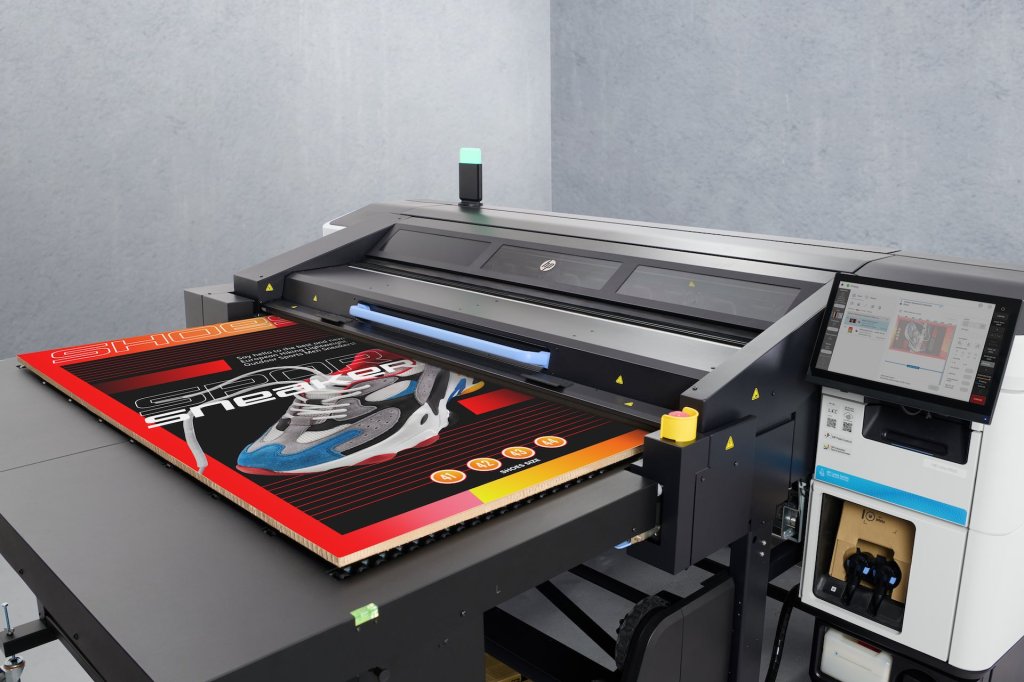
The all-new HP Latex R530 is making waves as the most compact and capable flatbed printer HP has ever built. Whether you’re working with roll media or rigid boards, this versatile printer adapts quickly to your needs. But if you’re wondering, “Will this printer actually fit in my shop?”, you’ve come to the right place. Here, we’ll walk you through everything you need to know about the R530’s delivery, dimensions, and space requirements to help you prepare your print room with confidence.
Introducing the HP Latex R530: Compact Powerhouse with Flexible Media Handling
The HP Latex R530 is designed to bring flatbed printing to spaces where it was previously impossible. Its compact footprint and innovative design allow it to fit in tighter spaces, even on elevated floors, without sacrificing capability. One of the standout features is its effortless switch from flatbed to roll media printing. Simply press a button, and in seconds, you can transition between rigid boards and roll-to-roll printing.
Delivery and Rigging: What to Expect
When you purchase the HP Latex R530, HP ensures a seamless delivery experience with their white glove rigging process. The printer arrives in a single large crate measuring approximately 115.4 inches long, 87.6 inches wide, and 69.1 inches tall. The rigging company will handle landing the crate at your dock or loading area, then uncrate and prepare the printer for transport to your print room.
Before the printer can find its final spot, it’s crucial to prepare the unloading route — the path from where the crate arrives to where the printer will be installed. The fully assembled printer measures 103.5 inches long by 68.1 inches wide. However, if your doorways or hallways are narrower than 68 inches, HP has engineered the media input and output assemblies to be removable, reducing the width to 63 inches, allowing easier maneuvering through tighter spaces.

Planning Your Print Room: Optimal Space Requirements
Once you’ve confirmed the printer can be rolled into your space, the next step is ensuring your print room can accommodate the R530 comfortably. This means not only fitting the printer’s footprint but also allowing enough room to operate it efficiently.
Space for Roll-to-Roll Printing
If your primary use for the R530 is roll-to-roll media printing, this is the most space-efficient setup. HP recommends a room size of 170 inches wide by 147 inches long. This layout provides about 3 feet of clearance in front of and behind the printer, offering ample space for operators to load and unload rolls smoothly.
Space for Flatbed Printing on Boards Under 5 Feet
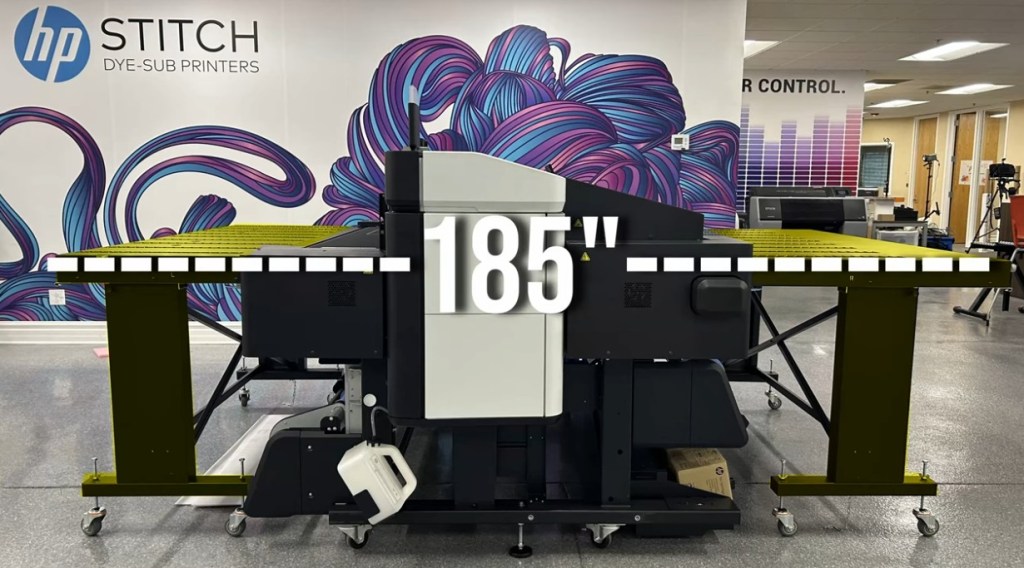
Most users will employ the R530 as a flatbed printer, given its versatility and cost-effectiveness compared to dedicated roll-to-roll printers. For boards shorter than 60 inches (5 feet), HP includes input and output tables that add a total of 60 inches to the printer’s length. In this scenario, the recommended room length increases to 185 inches to support smooth media handling.
Space for Flatbed Printing on Boards Over 5 Feet
If your workflow involves printing on longer boards—such as 4×8 foot sheets—you’ll need additional extension tables. These tables add another 75 inches to the footprint, bringing the total recommended room length to 260 inches. Extension tables are sold separately, so be sure to plan for this if you work with large-format rigid media.

Unpacking My Unofficial Minimum Space Recommendations
While HP provides optimal space guidelines, we’ve gathered hands-on experience with the R530 and want to share some unofficial minimum space requirements and tips.
First, we recommend positioning the status beacon side of the printer near a wall, leaving the control panel side more accessible. Since you’ll be interacting with the control panel regularly, you need a minimum corridor width of 24 inches between the front and back of the printer on the control panel side.
This setup means you can reduce the minimum room width to about 128 inches—significantly less than HP’s recommended 170 inches wide. This tighter space can work if you’re really tight on room but still want to maintain functional access.
Lengthwise, things get trickier because it depends heavily on your media size. The best formula to estimate minimum length is:
Minimum Length = (Board Length × 2) + Printer Depth (68 inches)
For example, if you print on 8-foot boards (96 inches), your minimum length would be:
(96 in × 2) + 68 in = 260 in
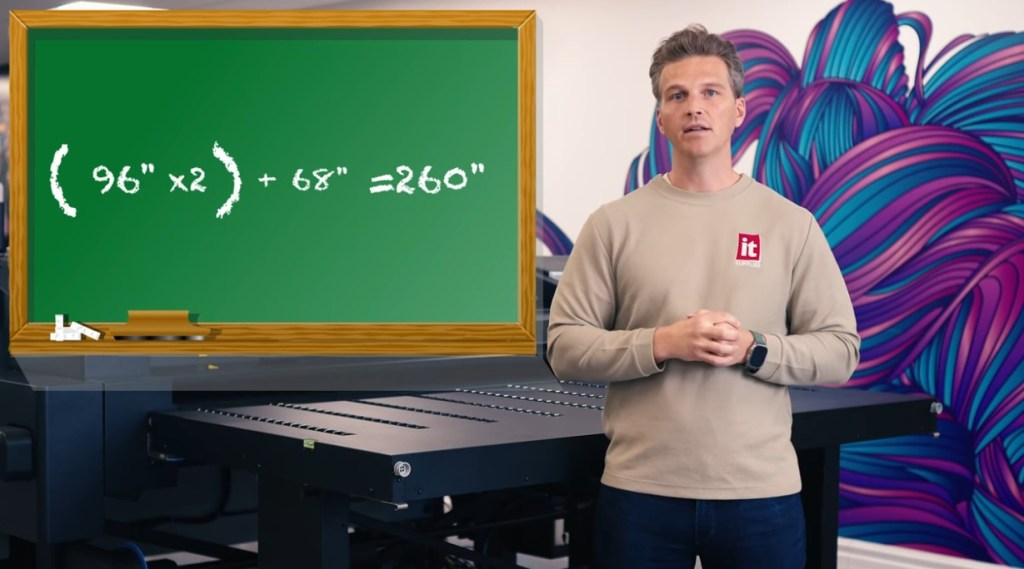
This matches HP’s optimal recommendations for large board printing. If you print smaller boards, just plug your board length into the formula to find your minimum required space.
Additional Considerations: Space-Saving Features
Although the footprint and space requirements might seem large, keep in mind that the input and output tables fold and can be rolled away easily when not in use. This flexibility means you can reclaim valuable floor space in your print room during roll printing or downtime.
Wrapping Up: Is the HP Latex R530 Right for Your Shop?
From our experience and HP’s detailed specs, the HP Latex R530 is a game-changer for compact flatbed printing. It packs impressive capabilities into a footprint smaller than most in its class, with the versatility to handle both flat media and rolls efficiently. Whether your shop is tight on space or you regularly print large-format rigid boards, the R530 can adapt to your needs.
If you’re planning to bring the R530 into your shop, start by measuring your space carefully using the dimensions and formulas shared here. Confirm your unloading route and room layout to ensure a smooth installation and operation.
We’d love to help you plan your print room and answer any questions as you consider the HP Latex R530. Reach out anytime — we’re here to be your trusted partner on your printing journey!
Learn More About the R530 – Click Here
IT Supplies is your one-stop shop for everything you need to achieve the perfect print. We partner with top manufacturers to bring you the best in printing technology, including Eco-Solvent, Latex, UV, and Aqueous printers from EPSON, HP, and Canon. Our lineup also features a wide selection of Dye-Sublimation, DTF, and DTG printers from EPSON and HP. Explore our full range at www.itsupplies.com or by giving us a call at 1-800-771-9665!
 IT Supplies Blog